Installer
Per-user install, Start-menu and desktop shortcuts, uninstaller included.
 NBrowser
 0.3.0 · Windows 10/11 x64
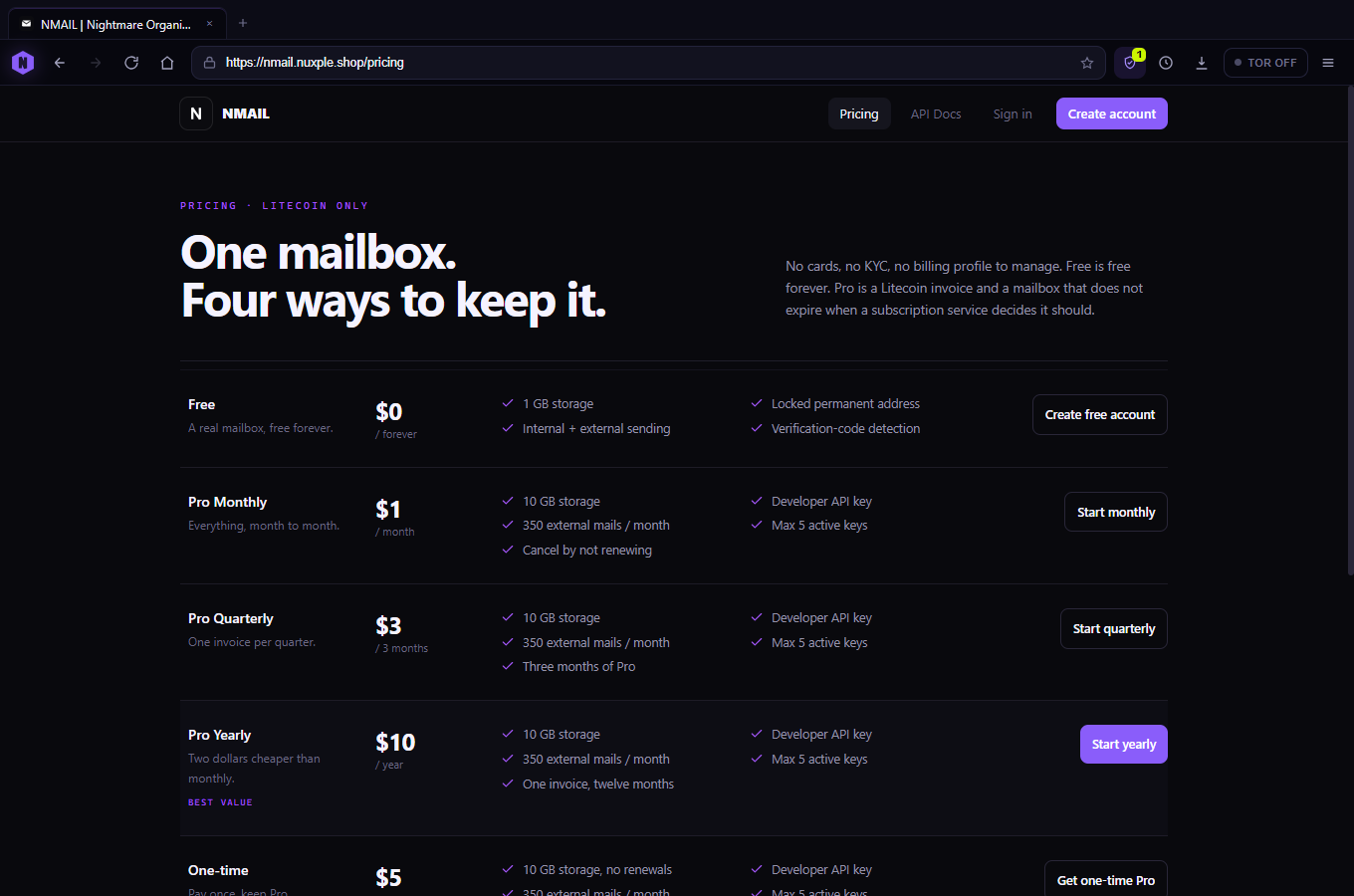
Chromium underneath. A tracker shield on top. Tabs, history, bookmarks and find-in-page, plus session restore, a real data wipe, and a command palette on Ctrl+K. No account, no sync, no telemetry, and no auto-updater calling home.
Unsigned build. SHA-256 published. Source archive available. Read the trust notes →
01 / What's inside
No extensions, no sync, no AI sidebar. Three of these are new in 0.3.0.
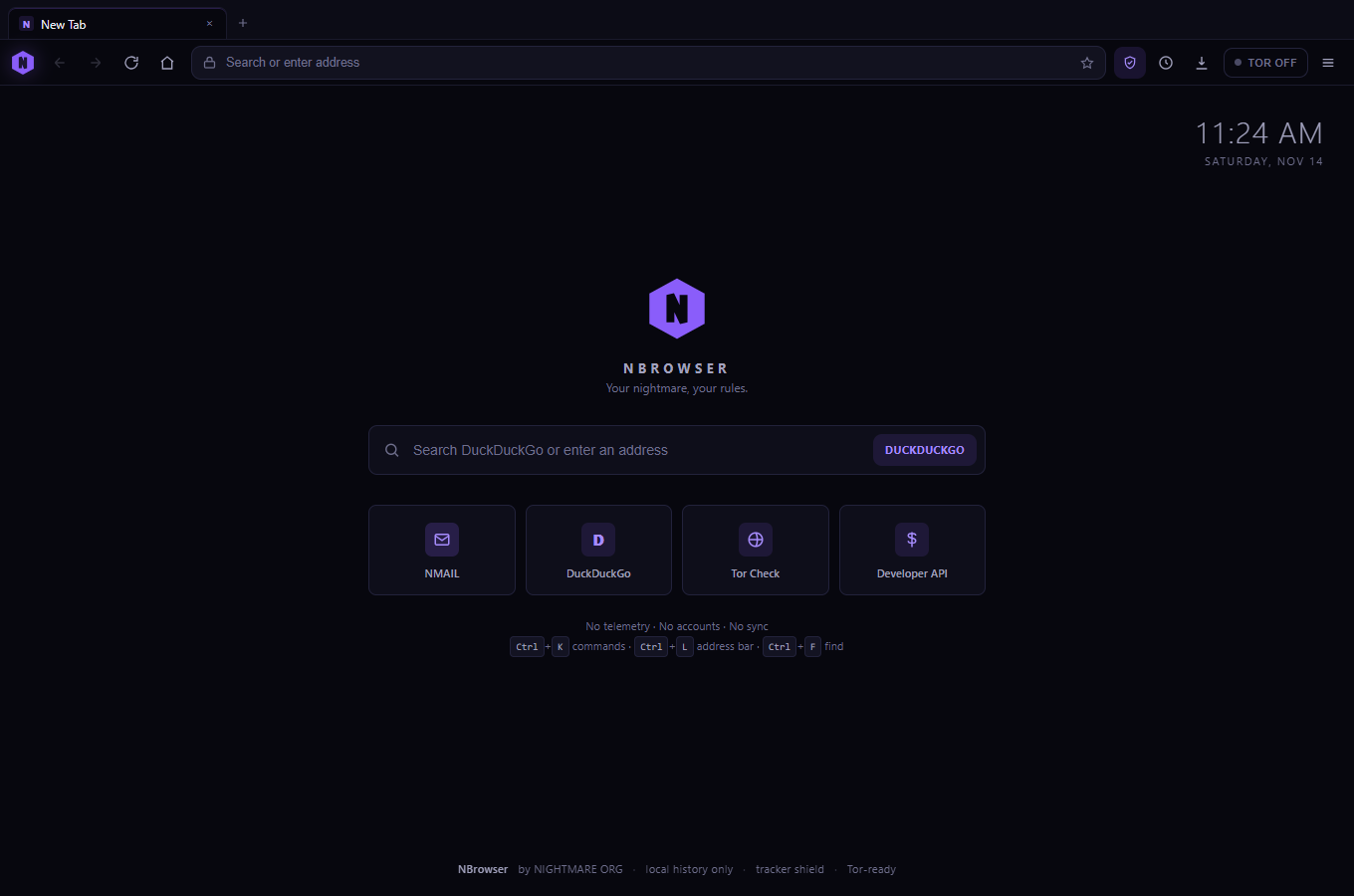
77,310 known ad, analytics and malware hosts ship inside the app. Requests are matched locally and cancelled before they leave the machine. The badge counts the blocks; the panel names the hosts.
Ctrl+K puts every action in one field: new tab, history, downloads, settings, shield, Tor, data wipe. Anything that isn't a command becomes an address or a DuckDuckGo search.
Close the window with twelve tabs open and they come back on launch. Local http(s) pages only, capped at twelve, with a switch in settings if you'd rather start clean.
Clear browsing data wipes history, cookies, storage, cache, auth and the DNS cache, then reloads the page. Bookmarks, settings and the shield allowlist survive. Two clicks, no fake progress.
Every tab is a sandboxed process. Middle-click closes, Ctrl+1–9 jumps, Ctrl+Tab cycles. Popups open as tabs, and shortcuts pressed in a page are forwarded to the chrome.
Both live in %APPDATA%\NBrowser\nbrowser-data.json. Search history from the drawer, wipe it with one button. No cloud copy exists.
Ctrl+F with a live match count, Enter to step forward, Shift+Enter back. The bar doesn't steal the page's focus.
Progress, byte counts, completed and failed states, and “show in folder”. Files land in your normal Downloads directory. No cloud hand-off.
One toggle routes the session through socks5://127.0.0.1:9050, DNS included. The button probes the port first and says so when Tor isn't running.
02 / Tracker shield
The list comes from StevenBlack/hosts, the long-running MIT-licensed adware and malware list. It is compiled into the app at build time, not fetched from a server. Every request is matched on this machine against exact hostnames and their parent domains, and a match is cancelled before a packet is sent.
The toolbar badge is a per-page count, not a lifetime score. Open it to see which hosts were stopped, how many requests the page made, and the totals for this session and this install. If a site depends on its own analytics endpoint, pause the shield for that site and reload.
Main-frame navigation is never blocked, so a tracker host can't stop you from opening a page. The shield is not a cosmetic ad blocker — placeholders can remain, and unknown or newly created hosts are not filtered until a future build.
77,310 unique hostsStevenBlack/hosts · MIT14 November 2026local · exact + parentnoneper-site allowlist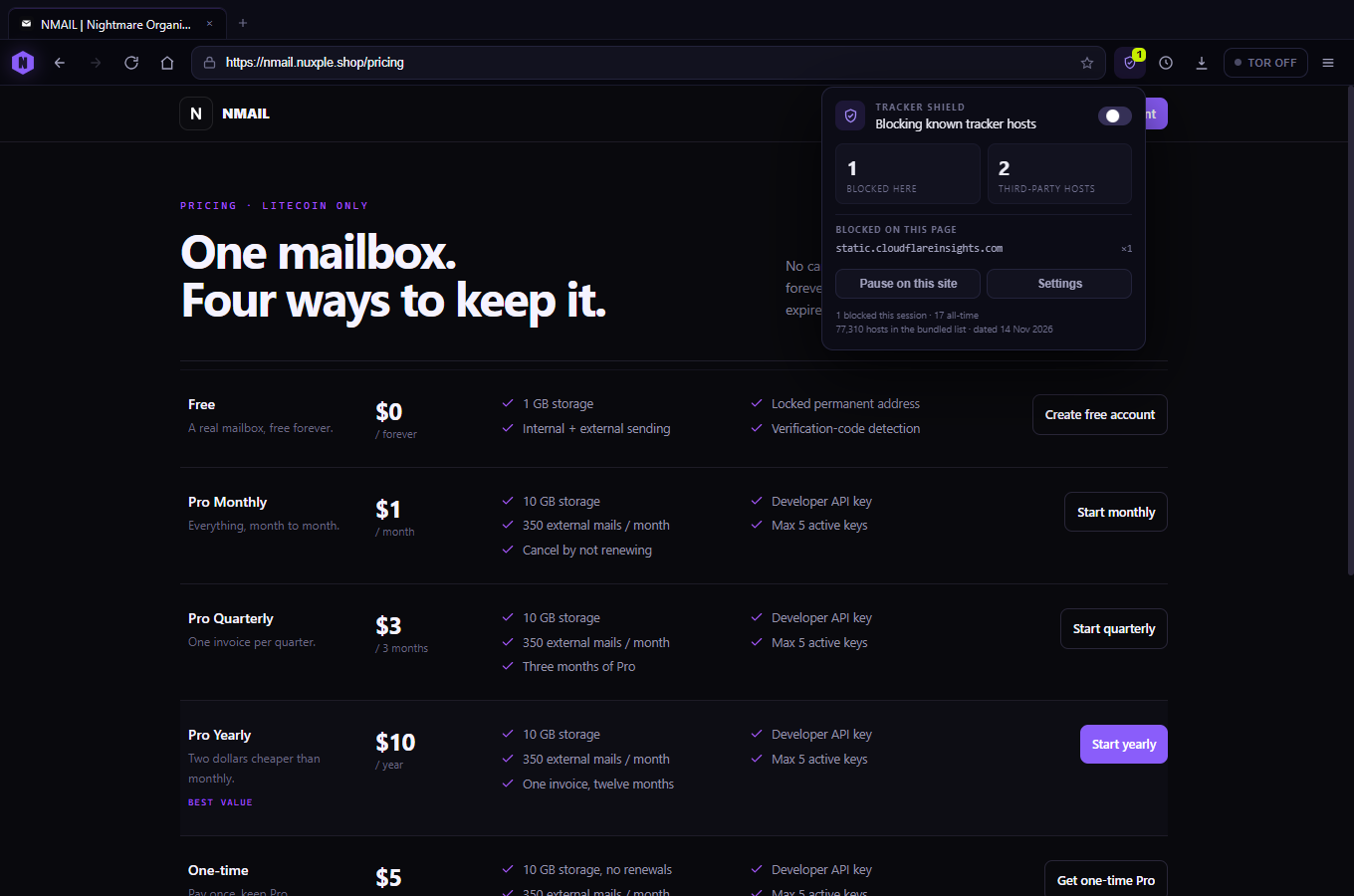
03 / Control
Ctrl+K opens a command palette with the actions you actually repeat. It filters as you type, falls back to a URL or a DuckDuckGo search, and closes with Esc. The same palette can pause the shield, open settings or start the data wipe.
Session restore and the data wipe are intentionally boring: local state, explicit confirmation, and no sync service waiting to resurrect what you deleted.
Ctrl+Shift+Delete jumps directly to the wipe control. Session restore is limited to http(s) tabs and is skipped when the app runs in capture mode.
Ctrl + Klast 12 http(s) tabshistory · cookies · cache · auth · DNSbookmarks · settings · allowlistnone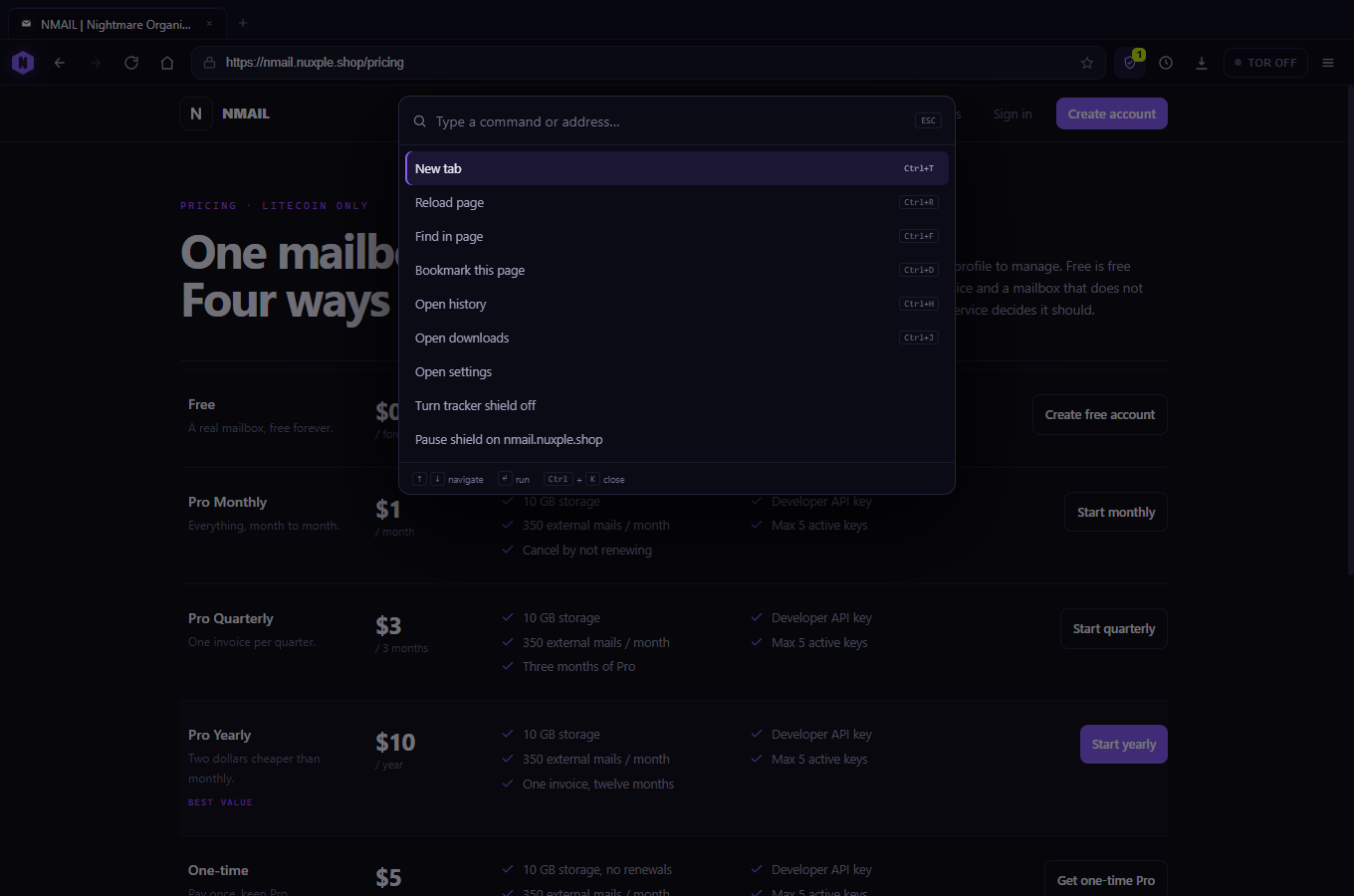
04 / Tor, honestly
NBrowser doesn't bundle a Tor daemon and won't pretend to. Flip the toggle and it checks whether something is listening on the standard port. If nothing answers, the button stays off and tells you what to start.
SocksPort 9050 in its torrctor.exe
In Tor mode every request and DNS lookup uses the proxy. .onion
addresses are blocked until the port is confirmed alive, so a lookup
never leaks over plain DNS. Direct mode is a normal HTTPS connection —
a VPN is your call.
socks5://127.0.0.1:9050through the proxyblockeddisableddeniedno05 / Download
Windows 10/11 · x64 · free · no account. Android and iOS are not supported — Electron is a desktop runtime.
Per-user install, Start-menu and desktop shortcuts, uninstaller included.
One .exe, no installer. Extracts to a temp folder and runs from a USB stick.
Unsigned. No code-signing certificate, so SmartScreen may warn on first run. More info → Run anyway. If you'd rather check first:
certutil -hashfile NBrowser-Setup-0.3.0.exe SHA256Compare the output with the SHA-256 printed above. No match → delete it and download again. Part files are served in 20 MB chunks and assembled in the browser because Cloudflare caps a single static file at 25 MiB.
06 / How it's built
Electron 33.4.11, electron-builder, NSIS and a 4-line PowerShell script that patches the executable metadata with rcedit. The source archive below is the exact tree this build came from — scripts included.
No minifiers on the app code, no remote config, no update channel. The only network requests are the ones you make by browsing.
Download source (.zip) Verification & trust notes
Source archive metadata loads with the manifest.
The installer is about 82 MB. The uninstaller removes the app; your data folder is yours to keep or delete.